
Build a connected client journey with fylt AI and 10 powerful modules
From the first enquiry to a completed engagement, fylt keeps your business in sync. fylt has ten core product modules, with cross-platform capabilities such as AI, Automations, Approvals and Notifications available across the workspace. Use AI-assisted drafting to create momentum, then let connected records carry the right context through sales, delivery, billing, and client collaboration.
This page is fylt's features overview: fylt AI drafting assistance plus 10 connected modules covering CRM, scheduling, project pipelines, billing, storefronts, e-signatures, support, team management, and client portals — plus two platform-wide controls: multi-step approval workflows for quotations, invoices, and documents, and trigger-based automation rules that act across modules automatically. The Connected Loop section shows how information flows between modules from first enquiry through delivery, billing, and support.
AI assistance that lives inside your real workflow
fylt AI helps your team turn business context into a confident first draft without leaving the module where the work belongs. Create quotation line items, project plans, client-ready documents, service descriptions, storefront sections, calendar details, and support responses with a starting point designed for review and refinement.
Sales-ready proposals
Draft quotation line items and supporting copy from your brief, then tailor every detail.
Delivery momentum
Translate a signed scope into project tasks, meeting details, and clear internal next steps.
On-brand growth
Develop polished storefront, portfolio, FAQ, and support content from the same customer context.
Information flows automatically between every module
One connected workflow keeps client context current from lead capture through delivery, billing, and support.
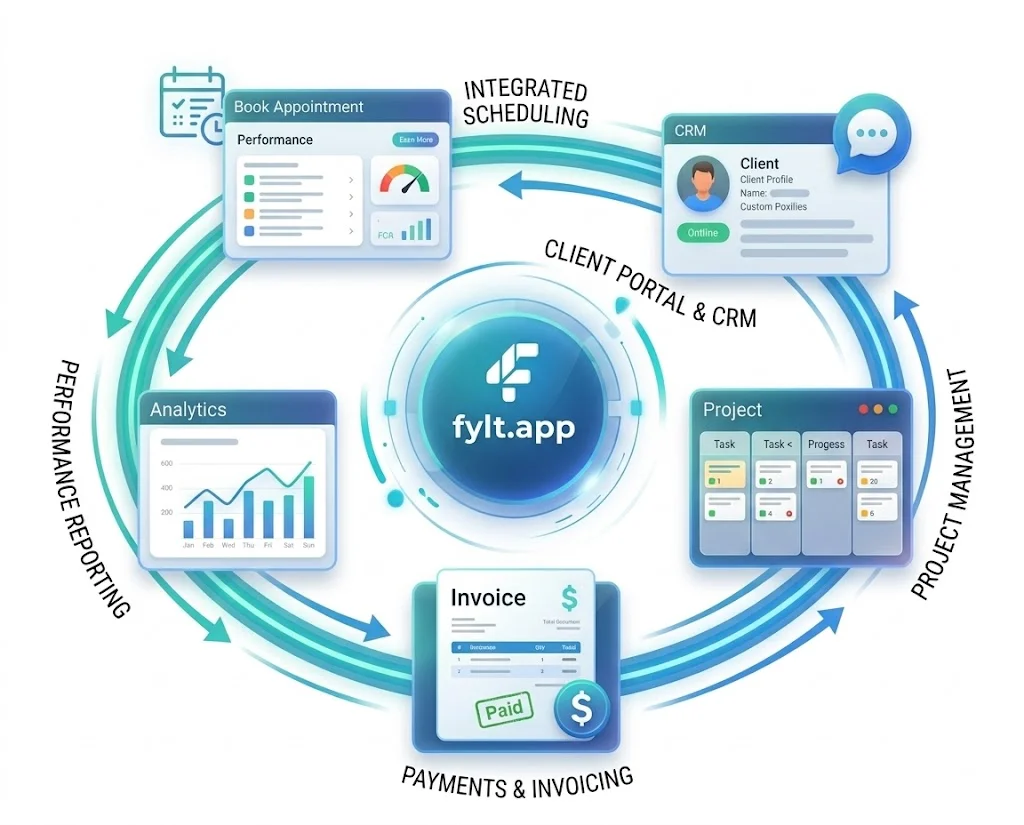
How the Connected Loop Works
The Connected Loop is the core of fylt's architecture. Every module connects automatically, so information can flow from one stage of your business to the next. When a client books an appointment on your Calendar, that adds the event and creates a CRM lead — ready for your team to turn into a project and quotation in one click. As work progresses, updates can ripple through CRM records, billing, support tickets, and your dashboard without copying data between separate tools. This connected workflow means less data entry, fewer mistakes, and more time focusing on delivering work to your clients.
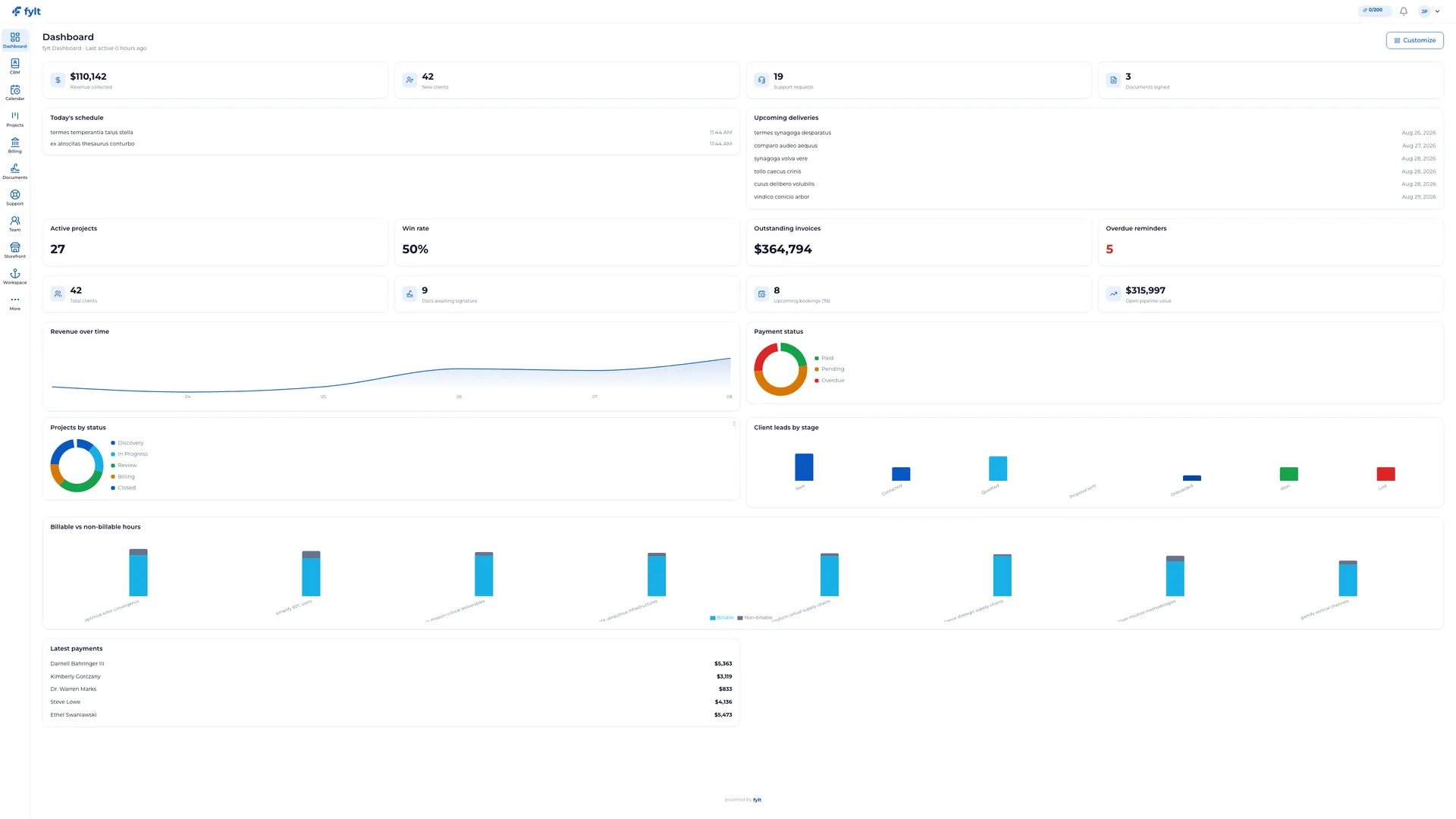
fylt Dashboard
Your 360° business intelligence dashboard, pulling every corner of your practice into a single, real-time view.
Dashboard is your studio command center. It brings client pipeline, active project signals, multi-currency revenue charts, calendars, and support metrics into one customizable view.
- Included with every paid plan
- Since your last visit snapshot of revenue, clients, support, and signed contracts
- 12 customizable widgets including rolling revenue and lead stage funnels
- Multi-currency normalization using live foreign exchange rates
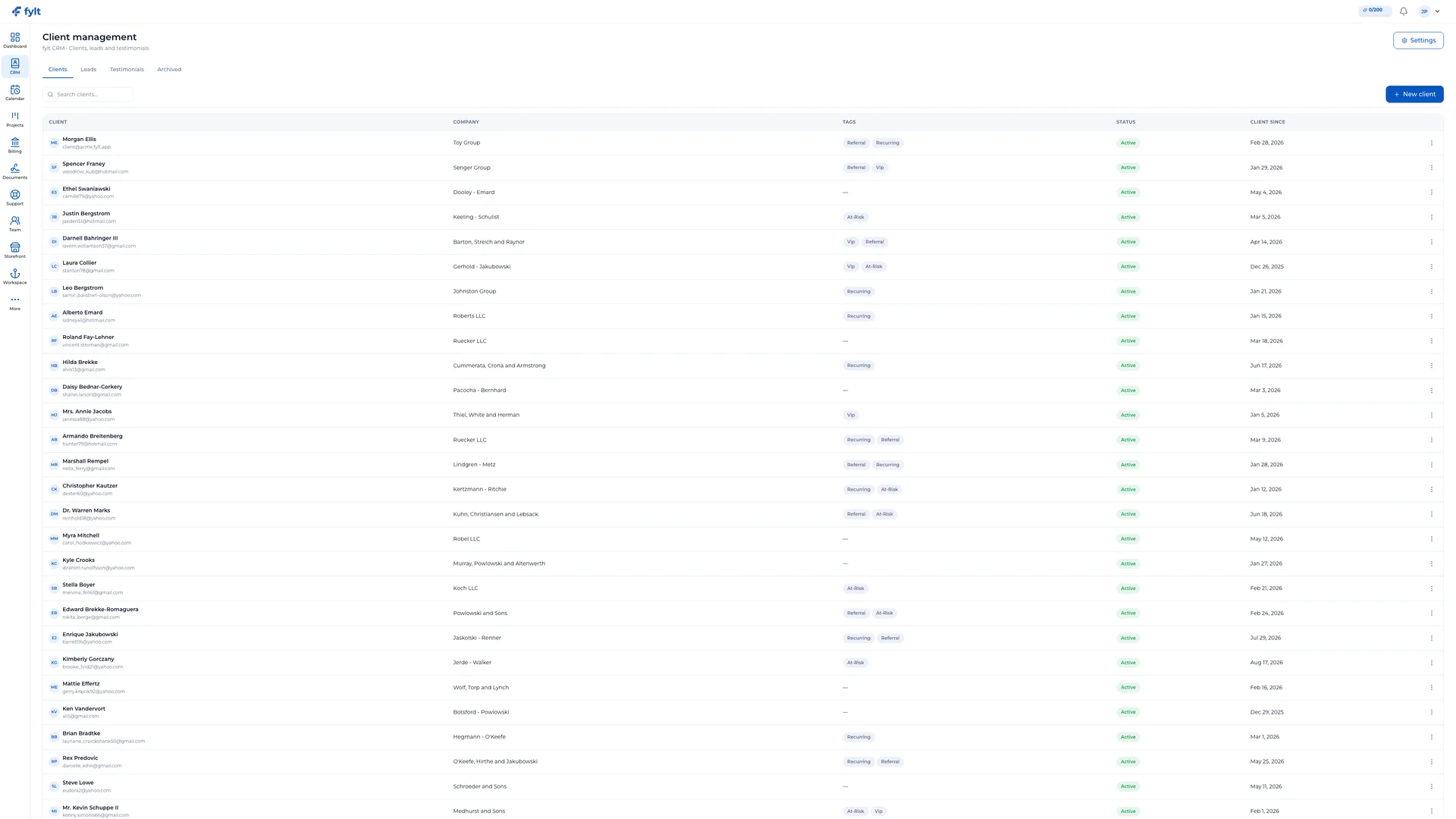
fylt CRM
Build informed, personal client relationships with a centralized CRM hub.
CRM organizes client records, leads, communications history, and testimonials in one shared place. Move prospects from lead pipeline to won client without re-entering their details.
- Visual lead pipeline tracking from prospect to onboarded client
- Single unified timeline of invoices, projects, and contracts per client
- Integrated client testimonial collector with automatic approval controls
- Full CSV import/export support for seamless migration
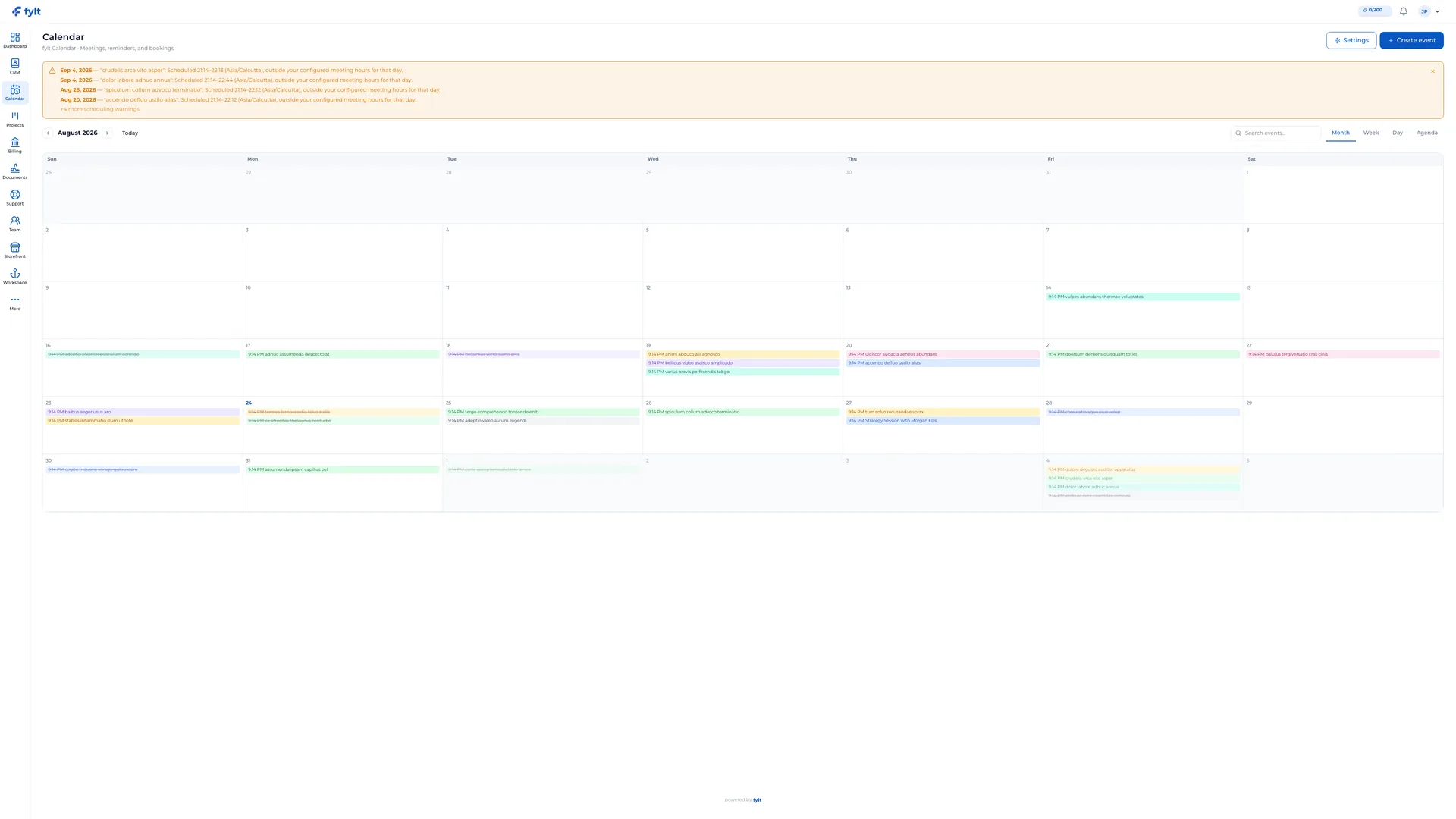
fylt Calendar
Invite clients into a polished, time-zone-aware booking experience.
fylt Calendar connects directly with your external calendar to show clients live booking availability while protecting your focus blocks, buffer times, and timezone boundaries.
- Helps prevent double-booking by overlaying Google Calendar and Microsoft Outlook busy time, plus buffers and booking rules
- Buffer times, advance notice rules, and daily booking limits
- Built-in timezone conversion for seamless global scheduling
- Outlook-style reminders inside your studio and client workspaces
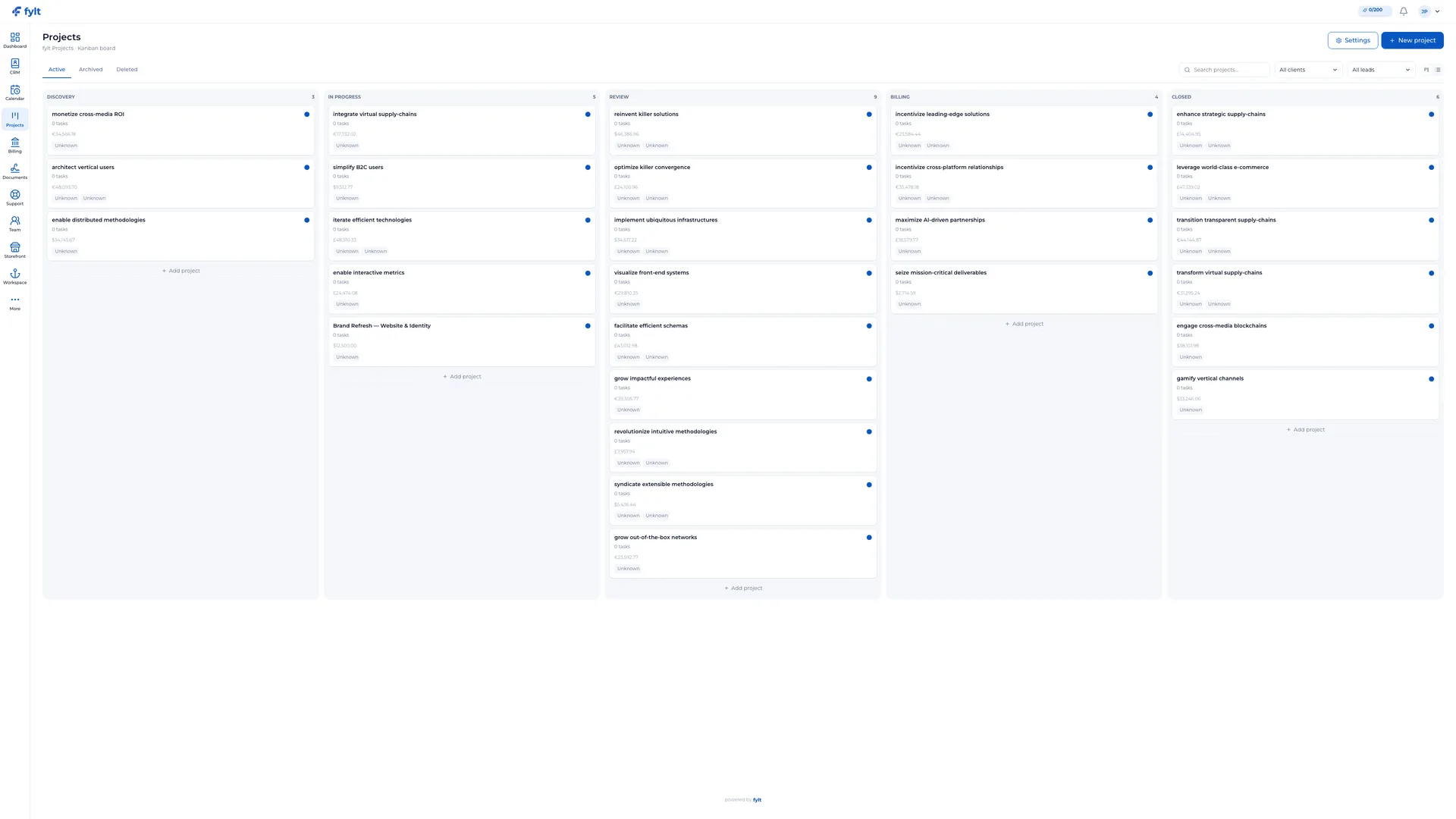
fylt Projects
Turn agreed scope into clear, visual progress on a drag-and-drop board.
Projects organizes tasks, comments, files, and project stages. Control exactly what your clients can see in their portal with granular client-visibility toggles.
- Customizable Kanban stages and table-mode views
- Granular tasks with due dates, dependencies, and billable flags
- Invoicing integration to convert logged project hours directly in Billing
- Granular toggles to share specific updates in the client portal
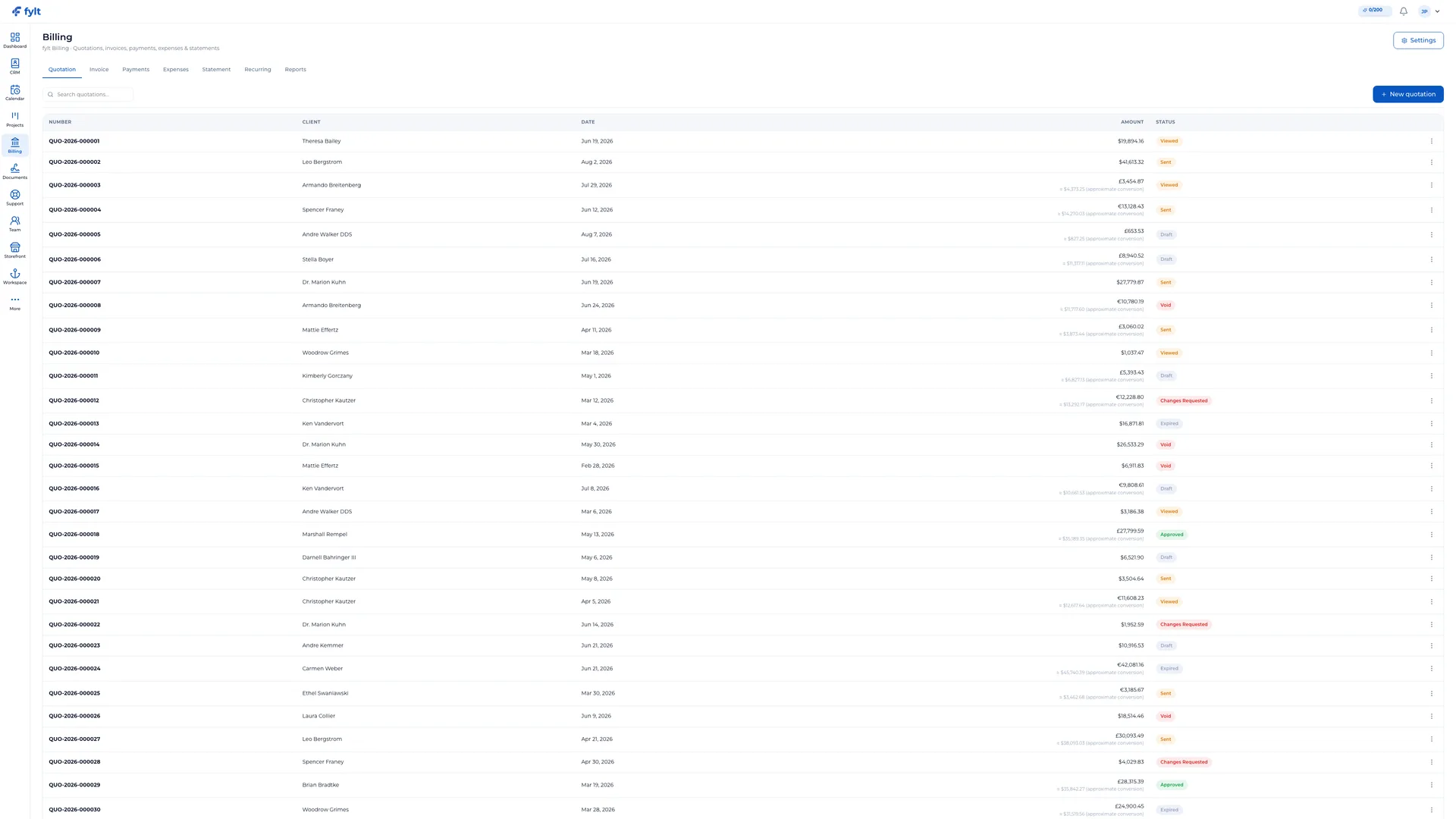
fylt Billing
Create a professional path from quotation to paid invoice.
Billing manages quotations, multi-currency invoicing, payment recording, and expense tracking. Convert accepted client quotes directly into projects and active invoices.
- Polished quote composer with tax rates and flat or percentage discounts
- Set payment instructions (bank transfer, UPI, account details) that appear on every invoice clients receive
- Expense logger with client-billing linkage and receipt attachments
- Multi-currency statements and revenue reports for easy auditing
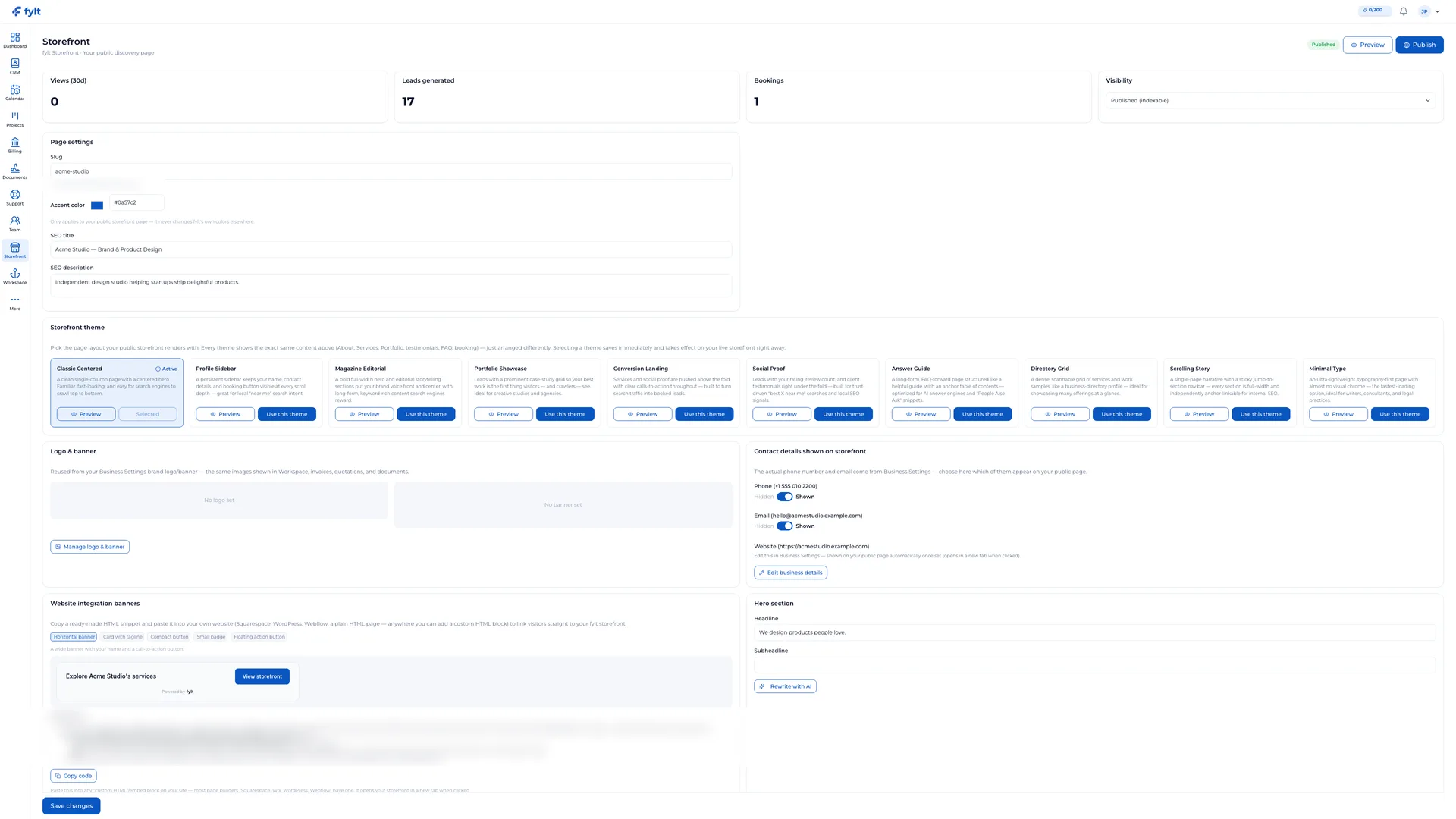
fylt Storefront
A polished, search-optimized storefront that turns visitors into clients.
Storefront publishes a public, fully branded profile showcasing your services, portfolio, and client testimonials published by the business. Features a direct booking widget that captures leads directly into CRM.
- Fully branded business page built from your studio assets
- Seamless Calendar booking widget integration for direct lead capture
- Rich portfolio galleries and client testimonials published by the business
- Built-in SEO, meta tags, and structured JSON-LD markup
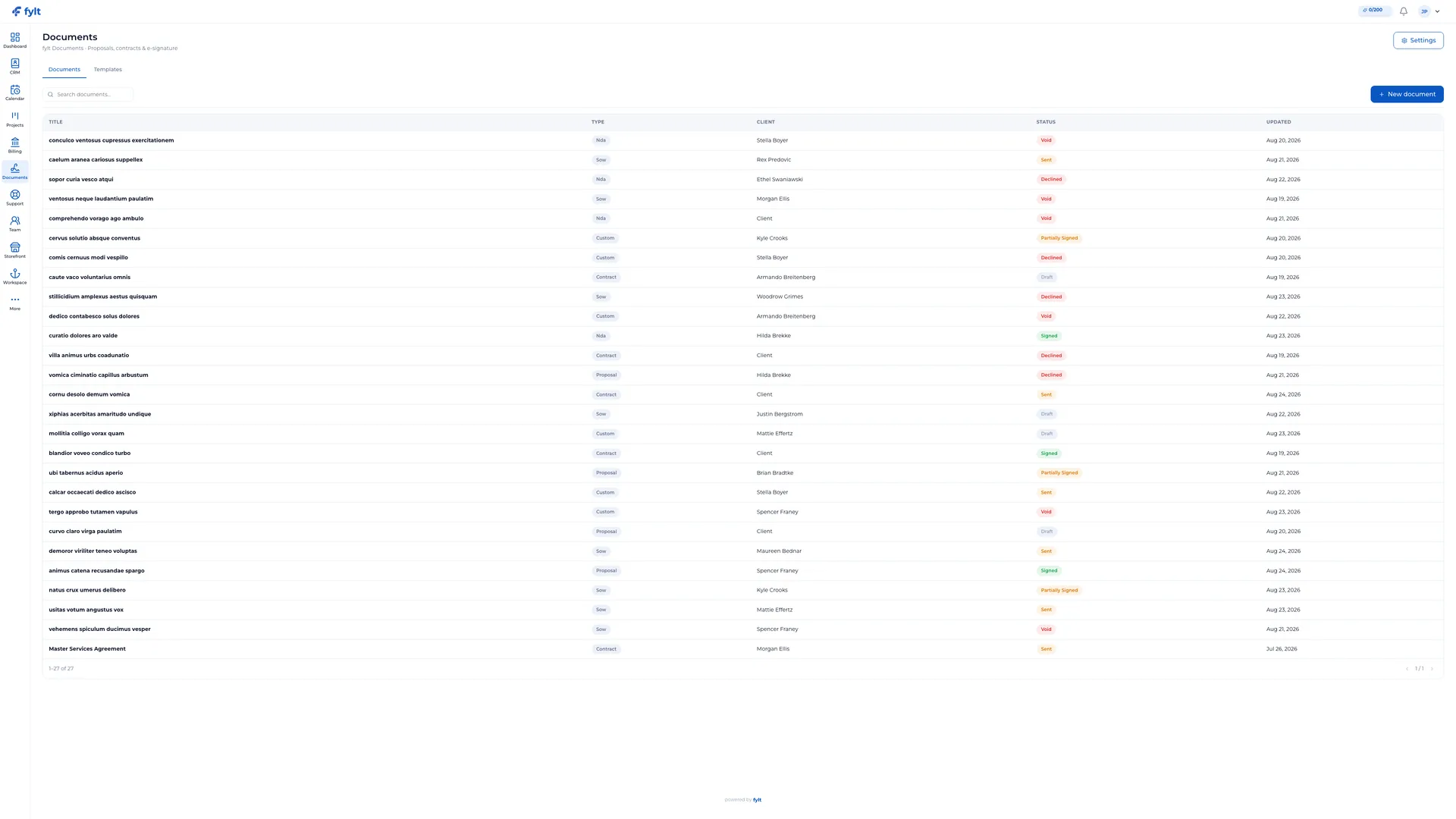
fylt Documents
Send proposals and contracts, and store completed signatures in your Workspace record.
Documents handles electronic signing and secure storage for contracts, proposals, NDAs, and SOWs. Generates audit trails and tamper-evident final PDFs designed to support common business signing workflows.
- Pre-built templates for reusable contracts, proposals, and NDAs
- Tamper-evident signatures cryptographically tied to document content
- Secure, encrypted storage with temporary presigned download links
- Multi-party signing workflows with SMS verification options
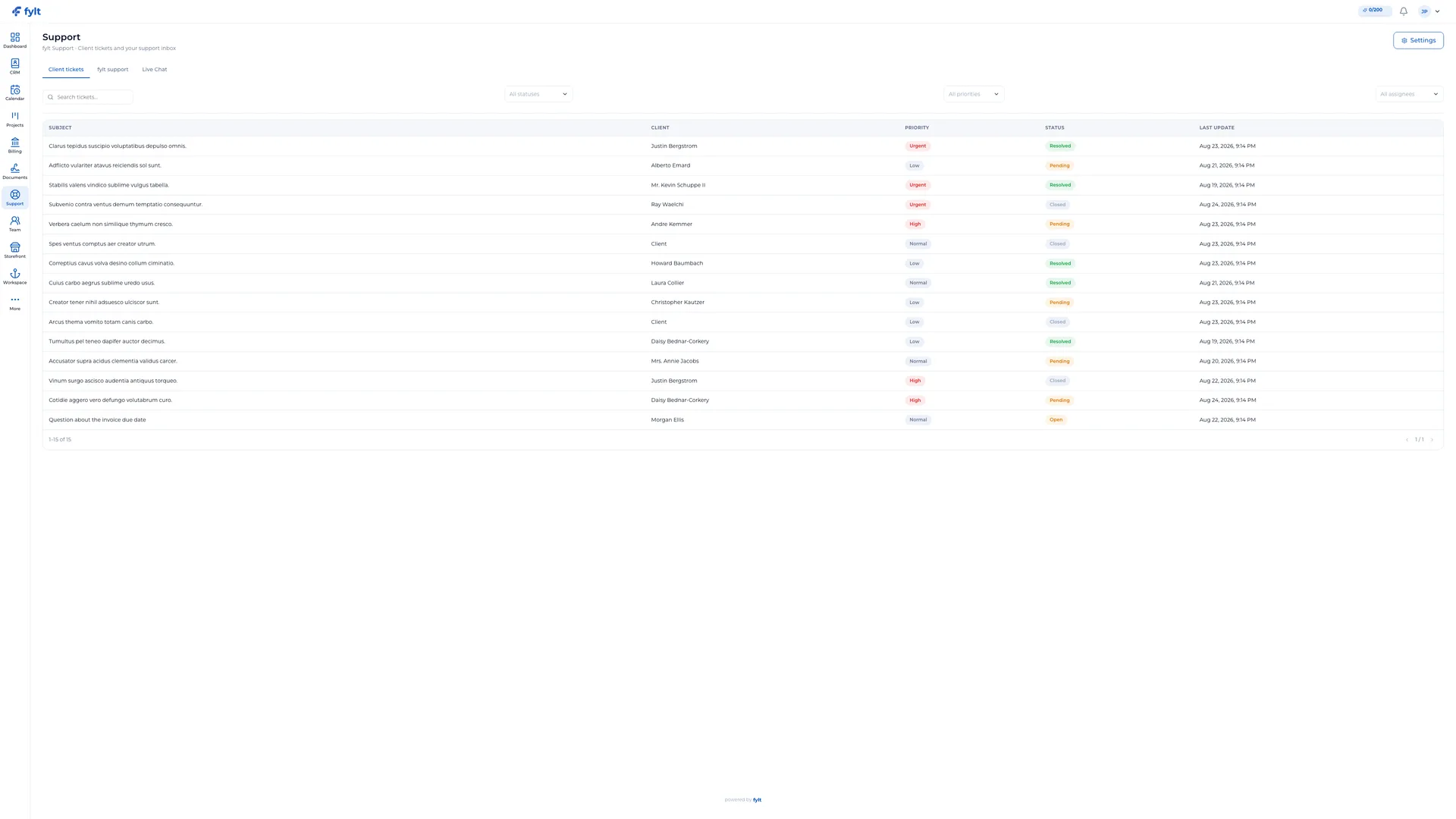
fylt Support
Deliver thoughtful, organized client support — with live chat, ticketing, and real-time responses — from a unified dashboard.
Support brings client tickets, status, priorities, and SLA targets into your main studio dashboard. Clients raise tickets directly from their private workspace. Live chat with clients is built in.
- Rich-text support ticket submission inside the client portal
- Studio-wide support queue with statuses, priorities, and SLA tracking
- Canned responses library for fast, consistent replies
- Integrated contact form that flows public inquiries straight to your queue
- Live chat support from Workspace with typing indicators and message history
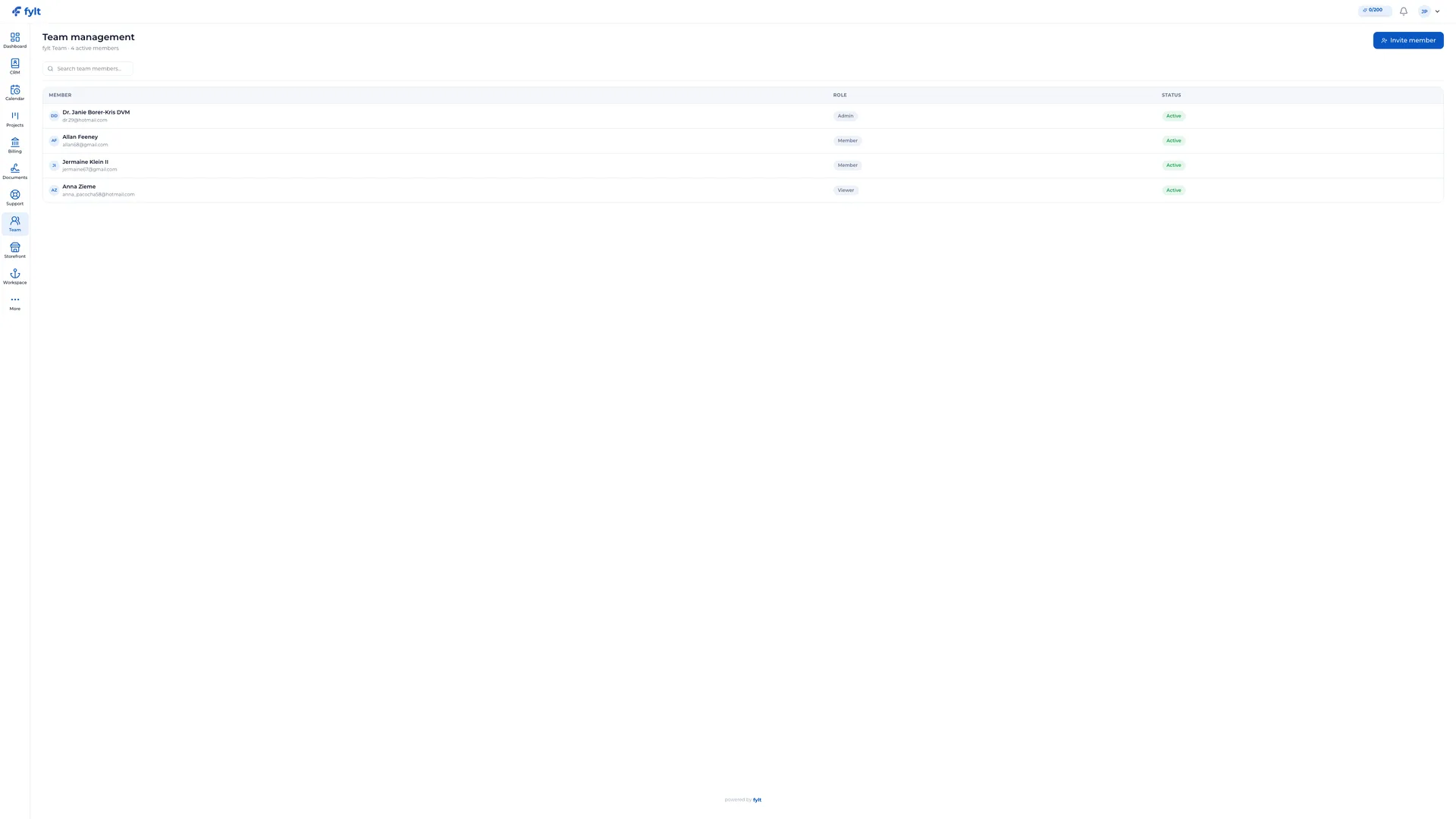
fylt Team
Coordinate team roles, access, and seat-aware permissions.
fylt Team expands your solo account into a shared workspace for collaborators. Delegate work with granular, per-module permissions and three clear roles (Owner, Admin, Member).
- One-click email invites to bring new teammates into your studio
- Three standardized roles plus granular per-module access rules
- Seat-aware billing to protect you from unexpected seat charges
- Built-in compensation ledger to track contractor payments
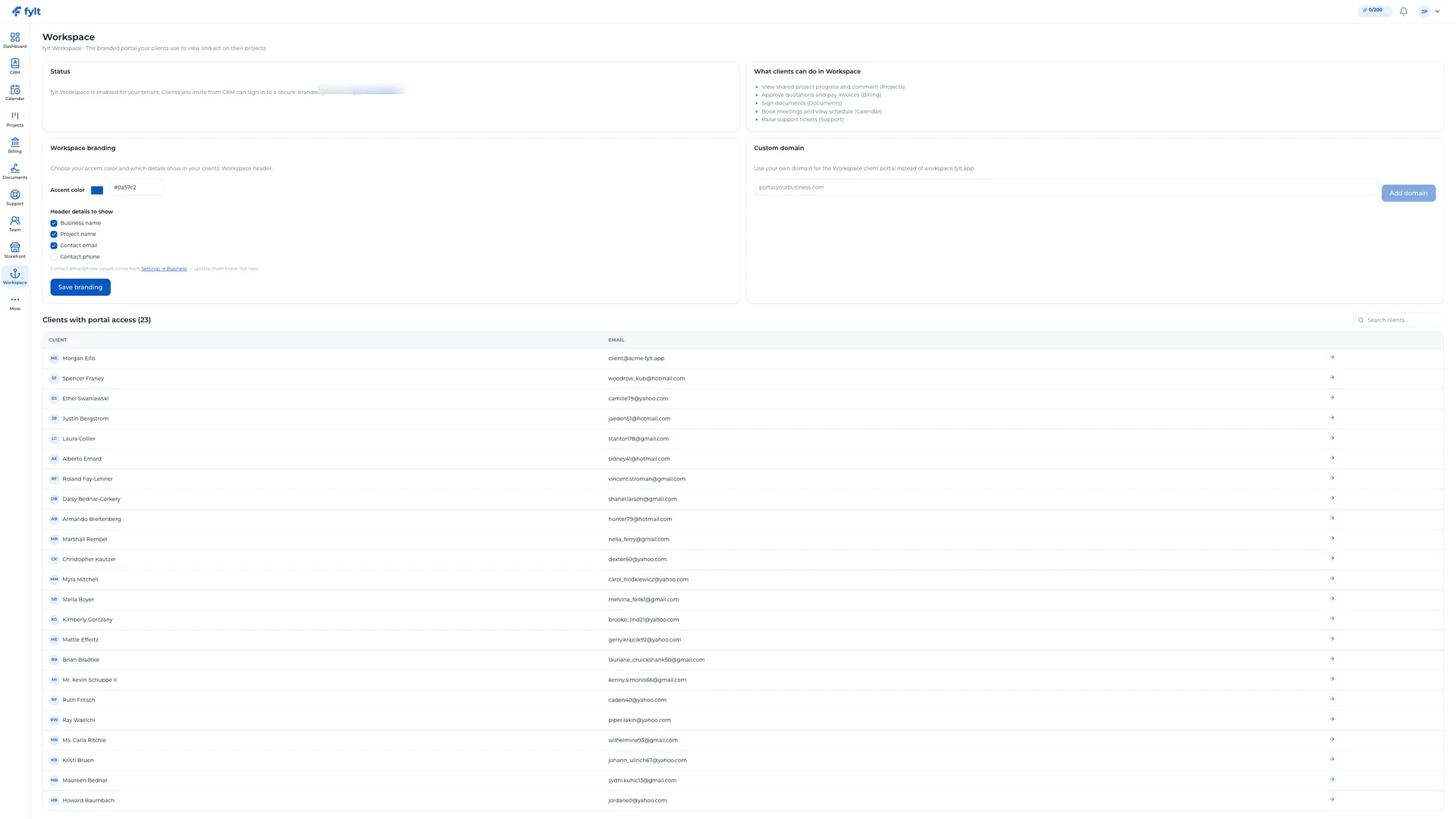
fylt Workspace
Give your clients a private, beautifully branded workspace portal.
Workspace offers a secure portal where clients can track projects, view invoice and payment status, sign contracts, and book meetings. No third-party account required; magic links enable instant entry.
- Fully branded client portal matching your accent color and logo
- Clear invoice/payment status, quote approval, and contract signing tools
- Assets section organizing all completed deliverables and contracts
- Installable progressive web app (PWA) with push notifications
Built-in controls that run across every module
Beyond the ten modules, fylt includes two platform-level capabilities that give teams control over how work is approved and how routine tasks run themselves.
Multi-Step Approval Workflows
Configure ordered approval chains for quotations, invoices, and documents. Each step names a specific approver — the item cannot proceed until they act. Approvers can approve, reject (with a written reason), or pass it along. A full audit trail of every decision is retained automatically.
Available on all paid plans · Owner & Admin onlyAutomation Rules
Set trigger-based rules that act across modules automatically — notify a client when an invoice is paid, move a project to the next stage when a quotation is approved, or alert a teammate when a task is marked complete. Professional plan includes AI-assisted rule suggestions generated from your account context.
Professional plan · Owner & Admin onlyFeature questions, answered
fylt modules are built on a single, shared database. When a client books a slot in Calendar, that adds the event and can create a CRM lead, ready for your team to turn into a project and quotation in one click. Information can then flow into Documents, Billing, and Projects without copying data between separate tools.
Yes. fylt Workspace client portals are fully private, encrypted at rest and in transit, and require secure password setup or direct email magic-links. You have complete permission control over which files, tasks, and billing details your clients can see.
Yes. fylt Team enables role-based collaboration with three clear roles and fine-grained per-module permissions, so your colleagues can manage projects, invoices, and support tickets with appropriate access boundaries.
fylt includes ten connected modules — covering dashboards, CRM, scheduling, projects, billing, storefronts, e-signatures, support, team management, and client portals — all built on one shared database so information flows between them automatically.
Every paid plan includes all ten modules. You can hide Dashboard widgets you do not use, and fylt Team permissions let you limit which modules each teammate can see or edit — without a separate per-module charge.
Modules share a single connected data core, so an action in one module — like a booking in Calendar — can update the related CRM lead without manual re-entry. Staff still review and send quotations, invoices, and project boards from that record.