
Team collaboration software for client work
Coordinate team roles, access, and seat-aware permissions.
fylt Team is the role and permissions module — it lets you invite teammates or contractors, assign role-based and per-module permissions, and track seat usage and compensation, replacing a separate team-permissions system.
Why service businesses use fylt for team collaboration
fylt Team expands your solo account into a shared workspace for collaborators. Delegate work with granular, per-module permissions and three clear roles (Owner, Admin, Member).
Key Features
- One-click email invites to bring new teammates into your studio
- Three standardized roles plus granular per-module access rules
- Seat-aware billing to protect you from unexpected seat charges
- Built-in compensation ledger to track contractor payments
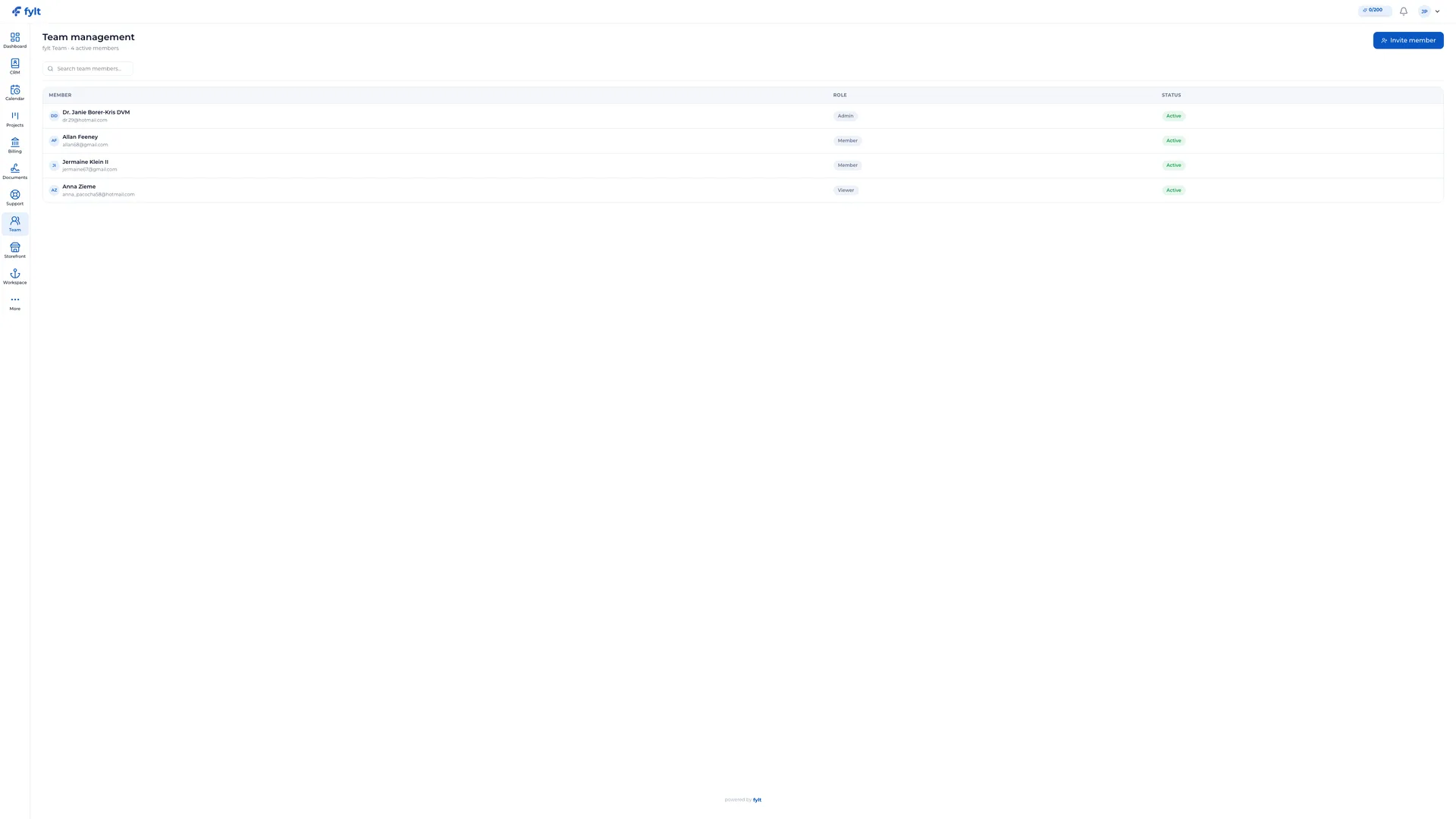
How fylt Team powers your operations
INVITE YOUR TEAM IN SECONDS
Grow your solo fylt account into a fully connected team workspace. Send email invitations and your teammate can set up a password and join immediately. Their custom dashboard, assigned modules, and role are configured instantly, and seats can be reclaimed with one click.
ROLES AND MODULE-LEVEL PERMISSIONS
Team is built around three clear roles: Owner (full billing/admin control), Admin (day-to-day team and role management), and Member/Viewer (collaborators). On top of roles, apply granular per-module permissions so team members only write to or view the modules they need.
SEAT-AWARE BILLING AND COMPENSATION LOGGING
fylt Team tracks active seats in real time to avoid surprise overcharges. For agencies managing contractors, Team includes built-in compensation logging. Track payment amounts per period for each team member to maintain a lightweight payment ledger connected to their record.
Team collaboration software for client work questions, answered
Team offers three standard roles — Owner, Admin, and Member/Viewer — plus granular per-module permissions on top, so teammates only access what they need.
Yes. You can invite contractors to specific boards or task lists in Projects without exposing financial data or unrelated client records.
Yes. Team logs a transparent activity feed of task updates, file uploads, document edits, and status changes across the workspace.
Team tracks active seats in real time to help you avoid unexpected seat charges as you add teammates.
Yes. Team includes a built-in compensation ledger so you can track payment amounts per period for each team member.
Learn more
- Full team collaboration setup guide and daily workflow
- Industry solutions built around fylt Team
- Templates that work with fylt Team
- Free tools related to team collaboration
- fylt pricing and the free 3-month trial
- How fylt compares to HoneyBook, Dubsado and Bonsai
- All-in-one software vs. separate point solutions