
Client support desk and live chat software
Deliver thoughtful, organized client support — with live chat, ticketing, and real-time responses — from a unified dashboard.
fylt Support is the helpdesk module — it turns client messages and public contact form submissions into an organized ticket queue with statuses, priorities, SLA tracking, canned replies, and file attachments, all managed from your Studio dashboard.
Why service businesses use fylt for client support & live chat
Support brings client tickets, status, priorities, and SLA targets into your main studio dashboard. Clients raise tickets directly from their private workspace. Live chat with clients is built in.
Key Features
- Rich-text support ticket submission inside the client portal
- Studio-wide support queue with statuses, priorities, and SLA tracking
- Canned responses library for fast, consistent replies
- Integrated contact form that flows public inquiries straight to your queue
- Live chat support from Workspace with typing indicators and message history
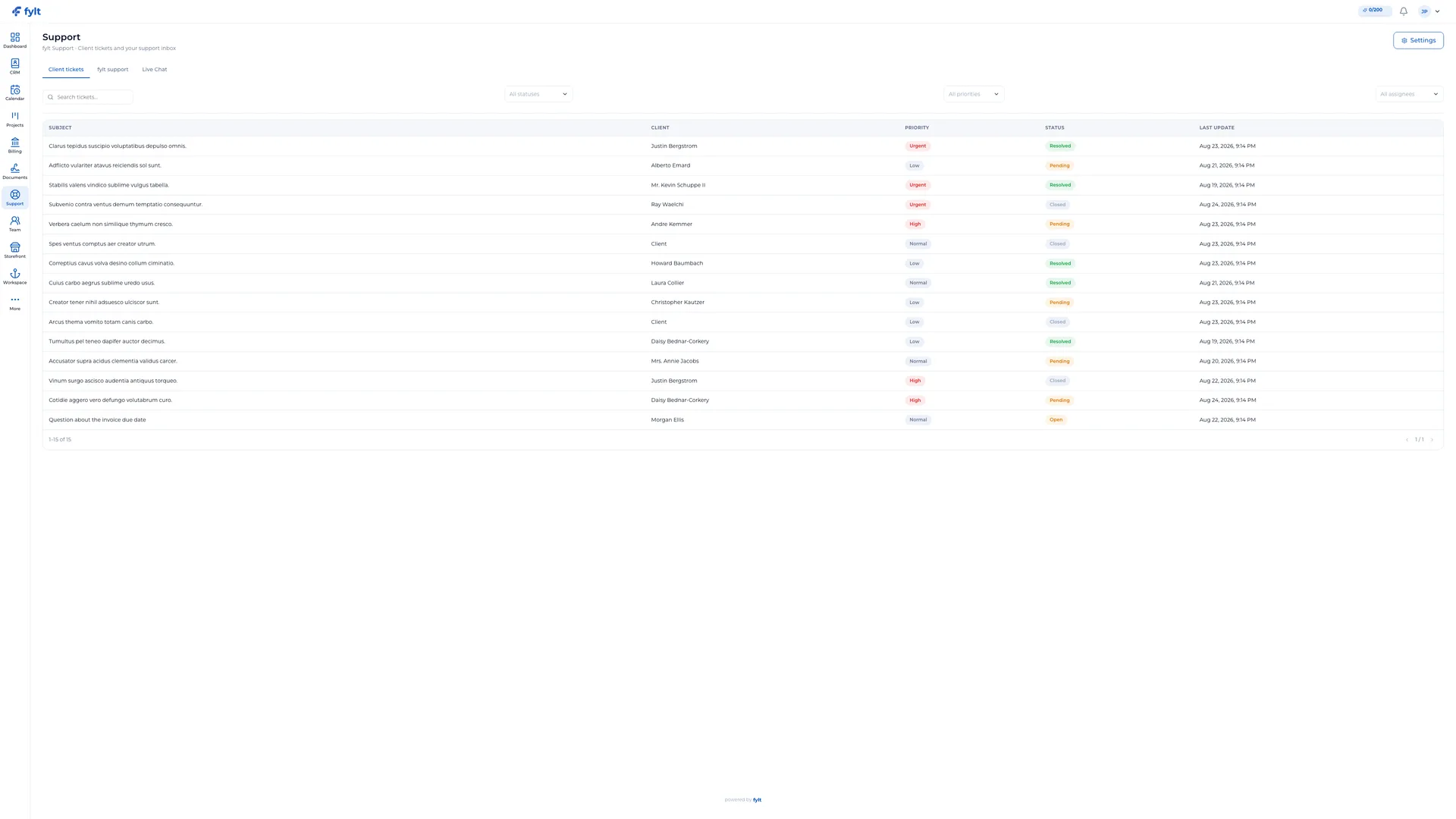
How fylt Support powers your operations
YOUR CLIENTS GET A DEDICATED SUPPORT PORTAL
Every client can open a support ticket directly from their Workspace portal. They can choose a subject, set priority (Low, Normal, High, Urgent), pick custom categories, and describe the issue with rich-text and file attachments. This keeps client support close, professional, and organized.
MANAGE IT ALL WITHOUT LEAVING STUDIO
Your fylt Studio dashboard shows every client ticket in a single queue. Filter by status, priority, assignee, or client. Assign tickets to teammates, configure a global SLA target (hours to first response), and move status through Open, Pending, Resolved, and Closed. Canned replies let you answer common questions in a single click.
PUBLIC CONTACT FORM, ZERO EXTRA WORK
The marketing site's 'Contact Us' form routes directly into the same Support queue. Every inquiry is tracked, assigned, and responded to from the same admin interface, giving your team shared metrics and open/resolved ticket counts in real time.
LIVE CHAT WITH CLIENTS
Clients can start a live chat session directly from their Workspace portal. Your team sees all active chat sessions in real time, responds instantly, and every conversation is logged with a full message history — so the context is always there when you need it.
Client support desk and live chat software questions, answered
Support converts client emails, portal messages, and the public contact form into a single, organized ticket queue with statuses, priorities, and assignees.
Yes. Clients can open a support ticket with rich text and file attachments directly from their Workspace portal.
Yes. Team members can add private internal notes on a ticket without exposing them to the client.
Yes. Support's canned replies library lets your team save and reuse answers to common questions in a single click, so responses stay fast and consistent without a client needing to search anything themselves.
Support logs status changes and ticket volume so you can see open, pending, resolved, and closed counts across your team.
Learn more
- Full client support & live chat setup guide and daily workflow
- Industry solutions built around fylt Support
- Templates that work with fylt Support
- Free tools related to client support & live chat
- fylt pricing and the free 3-month trial
- How fylt compares to HoneyBook, Dubsado and Bonsai
- All-in-one software vs. separate point solutions