
White-label client portal software
Give your clients a private, beautifully branded workspace portal.
fylt Workspace is the branded client portal — a private, mobile-friendly dashboard where clients can view projects, sign contracts, track invoices and payment status, and book meetings, replacing scattered email threads and third-party client logins.
Why service businesses use fylt for client portal
Workspace offers a secure portal where clients can track projects, view invoice and payment status, sign contracts, and book meetings. No third-party account required; magic links enable instant entry.
Key Features
- Fully branded client portal matching your accent color and logo
- Clear invoice/payment status, quote approval, and contract signing tools
- Assets section organizing all completed deliverables and contracts
- Installable progressive web app (PWA) with push notifications
How fylt Workspace powers your operations
A BEAUTIFUL, BRANDED CLIENT PORTAL
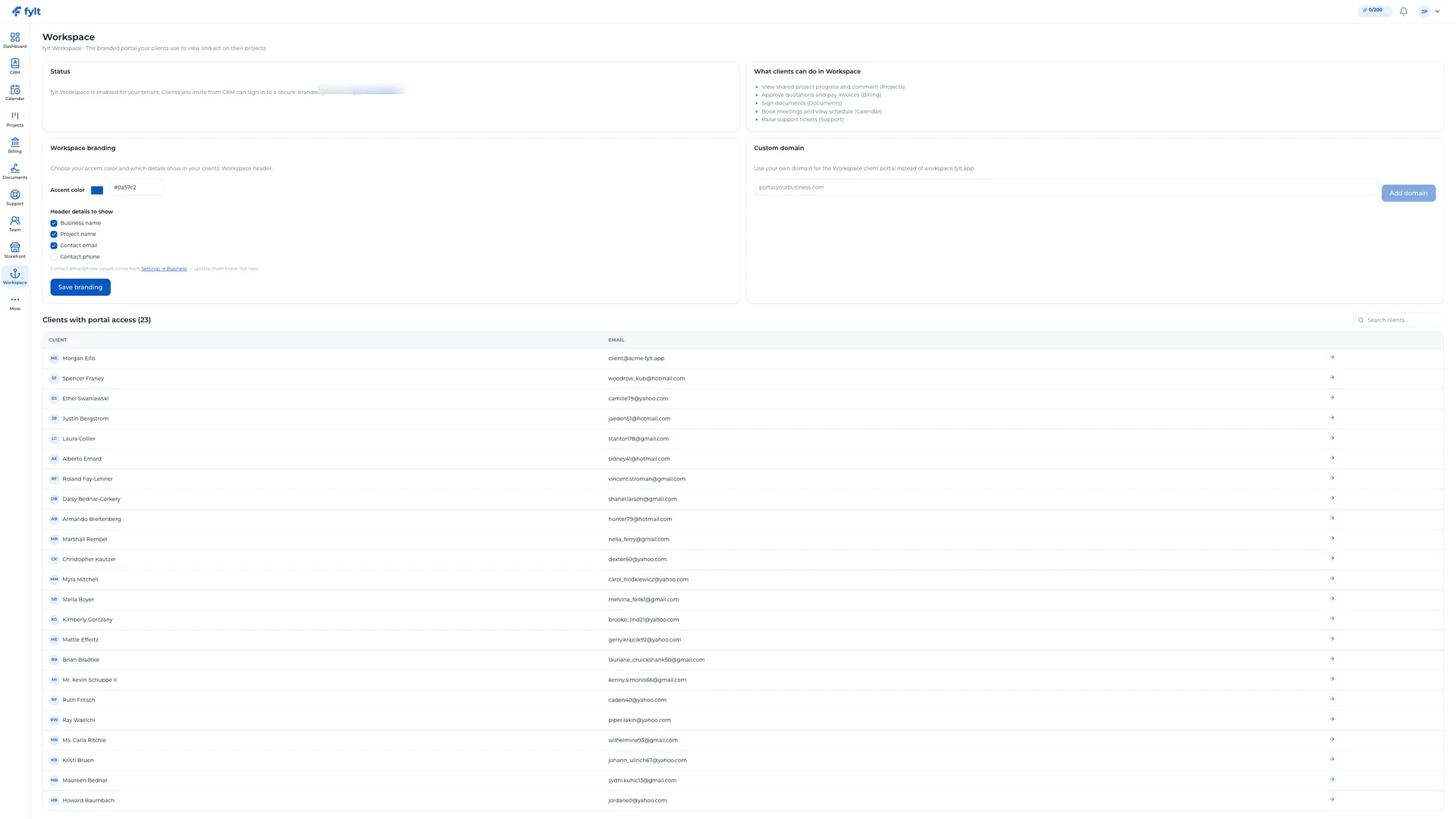
With fylt Workspace, you hand every client a private, branded portal the moment they onboard. Workspace carries your identity, accent colors, and logo. Onboarding is simple: clients receive an invitation link from CRM, set their password, and access all their files, projects, and invoices.
FOR THE CLIENT: EVERYTHING YOU NEED IN ONE PLACE
From the client's perspective, Workspace is a private dashboard summarizing active projects, outstanding invoices, documents waiting for signature, upcoming meetings, and support tickets. Clients can approve quotes, see exactly what's owed and how to pay it, sign contracts, and even keep their own billing addresses and tax details current.
PWA AND ASSETS RECORD
Once contracts are signed and deliverables are approved, they are stored in Workspace's Assets section while your account and data remain available, organized by project. Clients can install Workspace as a progressive web app on their phone or desktop for instant access and real-time push notifications.
WHAT "WHITE LABEL" MEANS TODAY
White-labeling a Workspace portal means your logo and accent color replace fylt's defaults, and your client never sees another vendor's branding inside it. Workspace does not currently support a custom domain (like portal.yourfirm.com) — clients access it at your fylt.app storefront URL. If a custom domain is a requirement, confirm that before choosing a plan.
FOR AGENCIES
Give every client account manager one place to point clients instead of five separate logins — Workspace shows the same branded portal across every client, with project status, invoices, and signed contracts scoped to each account automatically.
FOR SOLO CONSULTANTS
A branded portal signals the same professionalism as a larger firm without a developer or a custom build — clients get one link, one login, and a clear view of where things stand with you.
FOR FREELANCERS
Replace the "email me for an update" cycle with a portal clients can check themselves: project stage, what's owed, and whether a contract still needs a signature — without you drafting a status email.
White-label client portal software questions, answered
Clients can view active projects, approve quotes, track invoice and payment status, sign contracts, submit support tickets, and book meetings — all from one branded dashboard.
Yes. Workspace carries your accent color and logo, so the portal feels like an extension of your own business rather than a third-party tool.
Clients set a password after receiving an invitation link from CRM, or use secure email-based sign-in — no separate app download is required.
Yes. Workspace is a responsive, mobile-first interface, and it can also be installed as a progressive web app for quick access and push notifications.
Yes. You have granular controls over which projects, invoices, and documents each individual client can access in Workspace.
Learn more
- Full client portal setup guide and daily workflow
- Industry solutions built around fylt Workspace
- Templates that work with fylt Workspace
- Free tools related to client portal
- fylt pricing and the free 3-month trial
- How fylt compares to HoneyBook, Dubsado and Bonsai
- All-in-one software vs. separate point solutions