
Appointment scheduling and client booking software
Invite clients into a polished, time-zone-aware booking experience.
fylt Calendar is the scheduling and booking module that syncs with Google Calendar and Microsoft Outlook, converts time zones automatically, and lets clients book available slots directly — replacing a separate online scheduling app.
Why service businesses use fylt for scheduling & calendar
fylt Calendar connects directly with your external calendar to show clients live booking availability while protecting your focus blocks, buffer times, and timezone boundaries.
Key Features
- Helps prevent double-booking by overlaying Google Calendar and Microsoft Outlook busy time, plus buffers and booking rules
- Buffer times, advance notice rules, and daily booking limits
- Built-in timezone conversion for seamless global scheduling
- Outlook-style reminders inside your studio and client workspaces
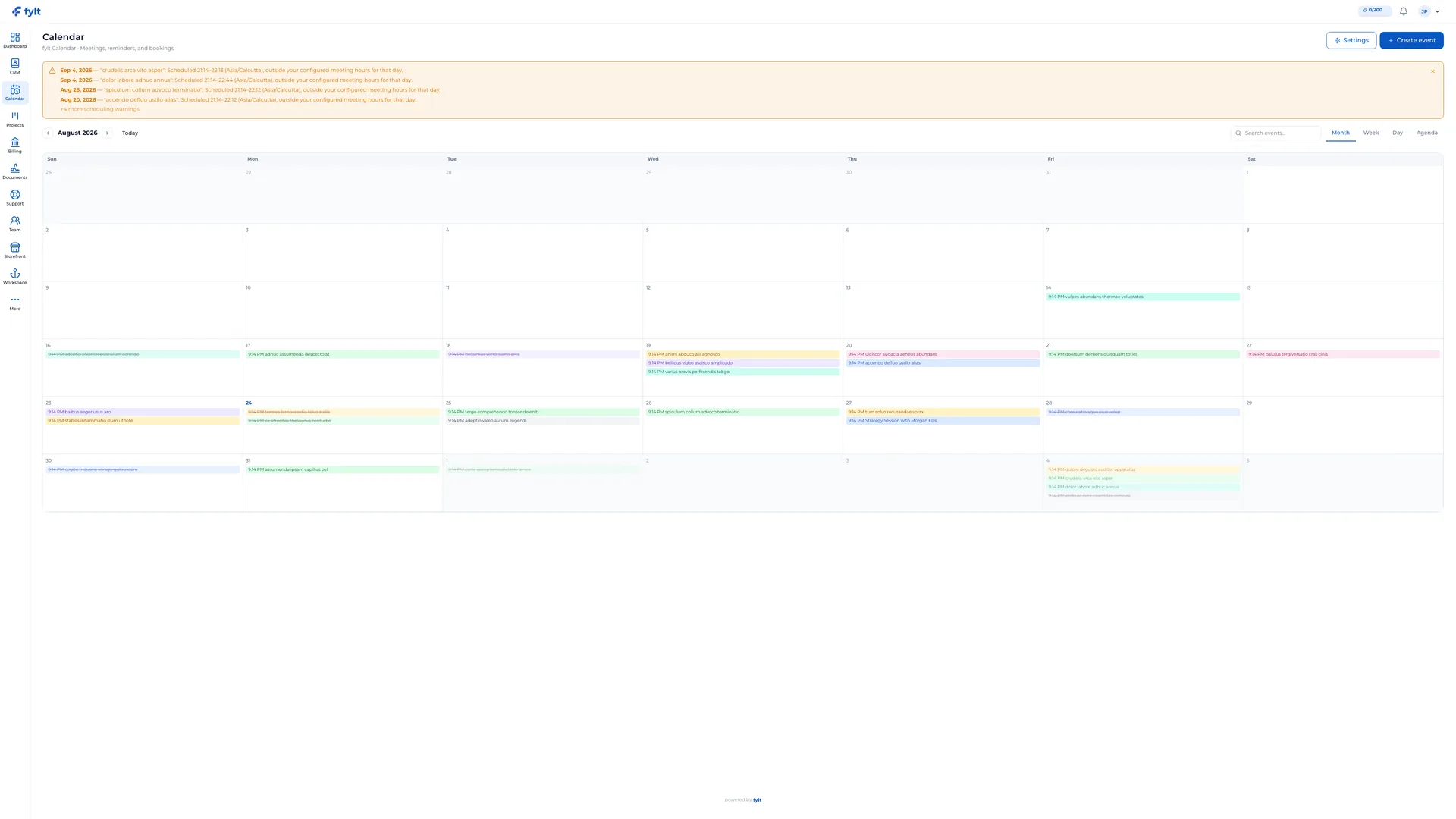
How fylt Calendar powers your operations
YOUR CALENDAR, CONNECTED
Sync your Google Calendar or Microsoft Outlook in a single OAuth click. fylt Calendar pulls in busy time from both external calendars and existing fylt events, so the availability you show clients accounts for existing busy time, buffers, and booking rules.
CLIENT BOOKING THAT RESPECTS YOUR RULES
Define bookable services, set durations, and configure your open booking hours independently of internal working hours. Buffer times, minimum advance-notice windows, and daily booking limits give you guardrails so you're never rushed. Clients book directly from your storefront or portal with no back-and-forth.
BUILT-IN TIMEZONE INTELLIGENCE
fylt Calendar automatically converts your configured business hours into the correct UTC instants and displays booked times back to each viewer in their own preferred timezone. Booking slots are converted using the configured business hours and viewer timezone, helping avoid timezone confusion.
Appointment scheduling and client booking software questions, answered
fylt Calendar pulls in your busy time from Google Calendar and Microsoft Outlook and merges it with existing fylt events, buffers, and booking rules so the availability shown to clients accounts for those constraints.
Yes. Calendar automatically converts your configured business hours into the correct time for each visitor and displays booked times back to them in their own local time zone.
Yes. Calendar lets you configure buffer times between appointments, minimum advance-notice windows, blackout dates, and maximum daily booking caps per service.
No. Calendar supports a tentative booking mode, so incoming requests wait in your calendar for your explicit accept or decline.
Yes. Calendar supports standard .ics file imports with a live preview, plus one-click exports compatible with Apple Calendar, Google Calendar, and Outlook.
Learn more
- Full scheduling & calendar setup guide and daily workflow
- Industry solutions built around fylt Calendar
- Templates that work with fylt Calendar
- Free tools related to scheduling & calendar
- fylt pricing and the free 3-month trial
- How fylt compares to HoneyBook, Dubsado and Bonsai
- All-in-one software vs. separate point solutions