
Project management software for agencies and client work
Turn agreed scope into clear, visual progress on a drag-and-drop board.
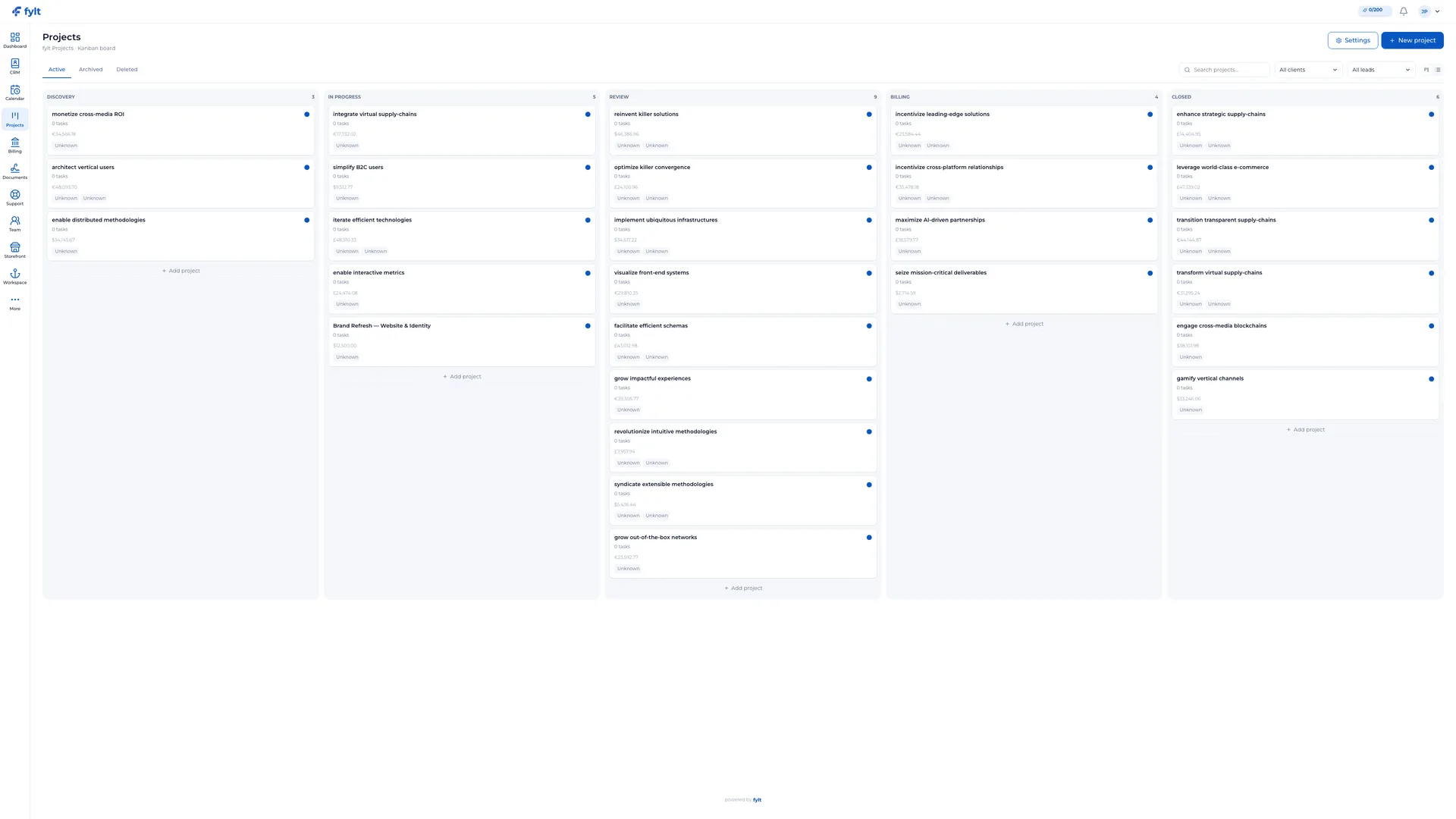
fylt Projects is the visual project management module — a drag-and-drop Kanban board that tracks tasks, deadlines, and billable hours, with granular controls over what clients see in their portal, replacing a standalone project tool.
Why service businesses use fylt for project pipelines
Projects organizes tasks, comments, files, and project stages. Control exactly what your clients can see in their portal with granular client-visibility toggles.
Key Features
- Customizable Kanban stages and table-mode views
- Granular tasks with due dates, dependencies, and billable flags
- Invoicing integration to convert logged project hours directly in Billing
- Granular toggles to share specific updates in the client portal
How fylt Projects powers your operations
VISUAL, INTUITIVE PROJECT MANAGEMENT
Projects' Kanban board is your studio at a glance. Customize stages to mirror your actual workflow (e.g. Discovery → In Progress → Review → Delivered). Each card shows live task completion bars, budgets, assigned leads, and overdue badges. You can also switch to Table mode with one click to sort and filter by custom fields.
TASKS THAT CONNECT TO YOUR WORK
Every project has a task list where each task carries assignees, due dates, estimated effort, billable flags, and client-visibility toggles. Tasks can be nested and set with dependencies. To save time, fylt offers saved task title suggestions for fast entry, plus AI-generated task lists from quotation content.
CLIENTS STAY INFORMED WITHOUT NOISE
Projects gives you granular control over what clients see in their Workspace portal. Each task, comment, and file has an individual 'Visible to client' toggle. Internal notes stay internal, while deliverables and progress bars are cleanly shared. Close projects cleanly with formal client sign-off in the audit trail.
Project management software for agencies and client work questions, answered
Projects provides a customizable drag-and-drop Kanban board as well as a Table view, so you can track project stages the way that suits your workflow.
Yes, through Workspace. Every task, comment, and file has an individual "visible to client" toggle, so you control exactly what clients see while internal notes stay internal.
Logged billable hours on Projects task cards sync with Dashboard analytics and can feed directly into Billing, so completed work converts into an invoice without manual re-entry.
Yes. Projects lets you save reusable project templates, such as a standard onboarding or delivery workflow, to launch new client engagements quickly.
Yes. Every task supports descriptions, subtask checklists, due dates, priority tags, dependencies, and direct file uploads.
Learn more
- Full project pipelines setup guide and daily workflow
- Industry solutions built around fylt Projects
- Templates that work with fylt Projects
- Free tools related to project pipelines
- fylt pricing and the free 3-month trial
- How fylt compares to HoneyBook, Dubsado and Bonsai
- All-in-one software vs. separate point solutions