
Invoicing and billing software for small businesses
Create a professional path from quotation to paid invoice.
fylt Billing and fylt Workspace do not collect client payments. They help you create invoices, record payments you receive, and show clients how to pay. Optional paid booking on Calendar can be processed by Razorpay or PayPal. fylt does not hold or route customer funds.
fylt Billing is the invoicing module — it turns quotations into invoices, tracks partial and installment payments you record, logs expenses with billable linkage, and converts every currency automatically at live rates across 60+ currencies. Clients pay you directly; fylt records those payments and shows payment instructions on each invoice.
Why service businesses use fylt for invoicing & billing
Billing manages quotations, multi-currency invoicing, payment recording, and expense tracking. Convert accepted client quotes directly into projects and active invoices.
Key Features
- Polished quote composer with tax rates and flat or percentage discounts
- Set payment instructions (bank transfer, UPI, account details) that appear on every invoice clients receive
- Expense logger with client-billing linkage and receipt attachments
- Multi-currency statements and revenue reports for easy auditing
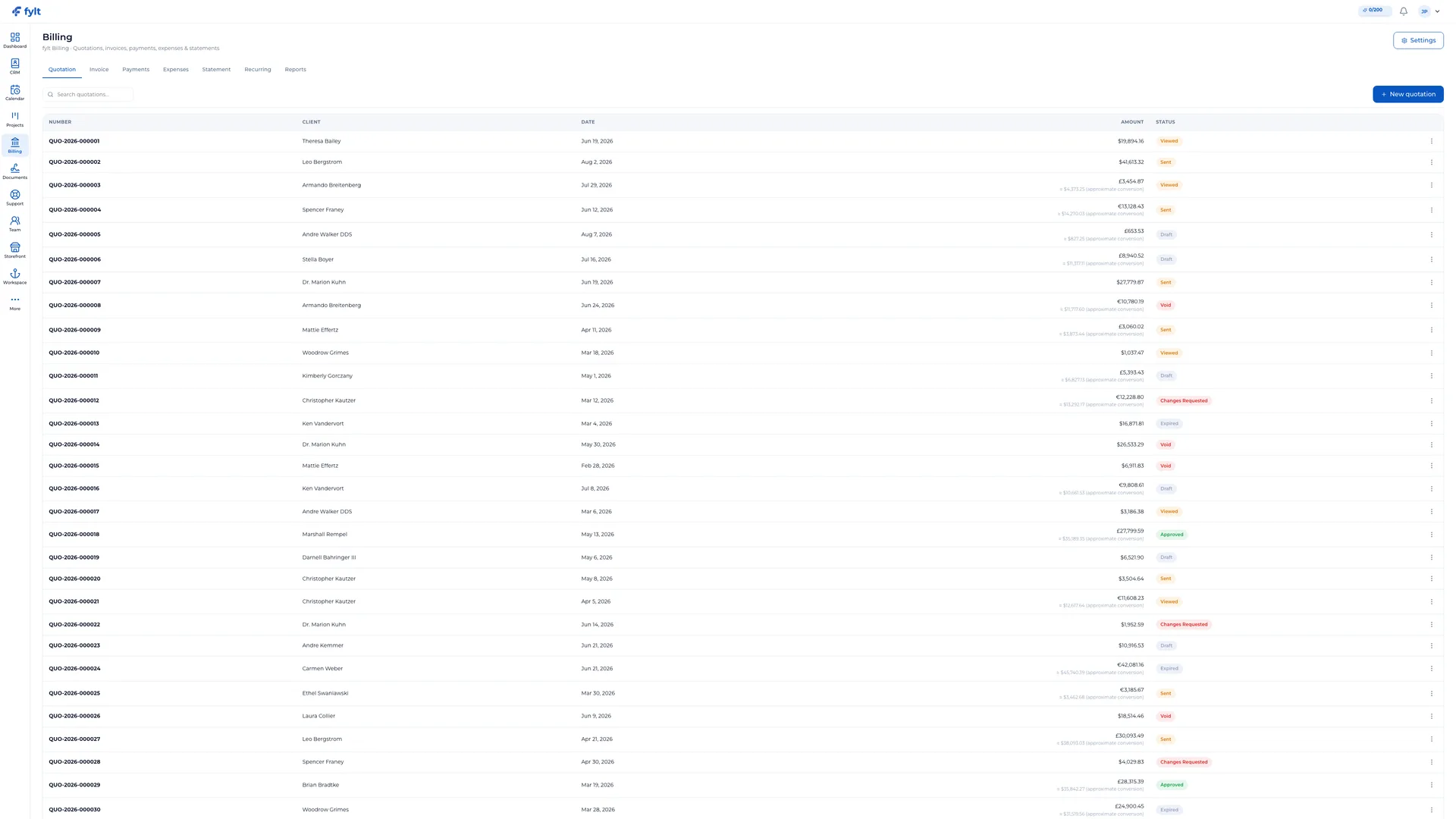
How fylt Billing powers your operations
CLOSE MORE BUSINESS WITH WINNING PROPOSALS
Send polished, PDF-quality quotations in minutes. Billing's quotation composer supports line items, tax rates, flat/percentage discounts, and validity windows. When a client approves a quotation directly from their portal, Billing auto-drafts the invoice from it, ready for your team to review and send in one click.
PROFESSIONAL INVOICES THAT GET NOTICED
Create standalone invoices or convert approved quotations in a single click. Every invoice carries a customizable, sequential, human-readable number. Set payment terms, default instructions, and attach PDFs. Partial payments and payment-plan tracking are fully built in.
RECORD PAYMENTS YOUR WAY
Set your payment instructions once — bank account details, UPI handle, or any method you accept — and fylt puts them on every invoice automatically. Record payments as they arrive (bank transfers, cash, card, or any method), with partial payment and installment support built in. Every payment is converted to your preferred reporting currency at live FX rates across 60+ currencies.
Invoicing and billing software for small businesses questions, answered
fylt Billing does not collect card payments on invoices. You set payment instructions (bank transfer, UPI, account details, or any method you accept) that appear on every invoice, then record payments as they arrive. Optional paid booking in Calendar is the only client-facing collection fylt performs, processed by Razorpay or PayPal.
Yes. Billing's quotation composer supports line items, tax rates, and flat or percentage discounts — when a client approves a quote from their portal, Billing auto-drafts the invoice from it, ready for your team to review and send in one click.
Yes. You can structure invoices into custom installment schedules, and Billing tracks partial payments and outstanding balances automatically.
Yes. Signing an agreement in Documents can automatically trigger Billing to issue the corresponding deposit invoice.
Yes. Billing's expense logger lets you record expenses with receipt attachments and link billable expenses back to a specific client.
Learn more
- Full invoicing & billing setup guide and daily workflow
- Industry solutions built around fylt Billing
- Templates that work with fylt Billing
- Free tools related to invoicing & billing
- fylt pricing and the free 3-month trial
- How fylt compares to HoneyBook, Dubsado and Bonsai
- All-in-one software vs. separate point solutions