
The Connected Loop
Every module in fylt works in harmony. Connected data and handoffs stay synchronized across client management, scheduling, projects, billing, e-signatures, and support — reducing repetitive data entry and errors — while your team stays in control of client-facing actions.
The Connected Loop is fylt's core architecture: when a client books through Calendar, that automatically adds the event to your calendar and creates a CRM lead, ready for your team to turn into a project and quotation in one click — while Documents manages contracts, Support keeps every ticket linked to the client's record, and Dashboard unifies everything in one view. Connected records stay synchronized between modules, reducing repetitive data entry between separate tools, while actions that need review remain under your team's control.
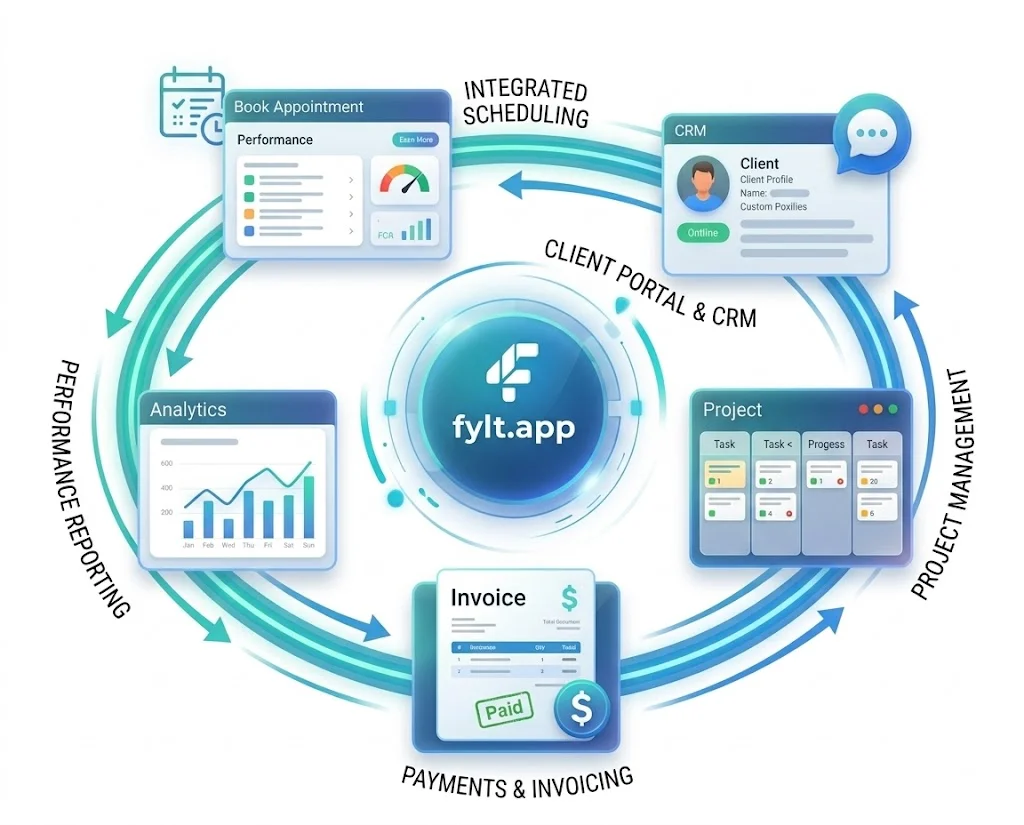
How the Connected Loop Works
Watch how information moves through fylt's connected system at each stage of your business.
Client Intake
A new client reaches out. CRM captures their details, preferences, and communication history. Their complete profile is kept available across connected records in fylt.
Booking & Scheduling
Your client books a time directly through Calendar. Their appointment is added to your calendar, and because they're already in CRM, their full context is instantly available when they arrive.
Project Setup
Once the scope is agreed, Projects creates a project board with all tasks, milestones, and deliverables automatically connected to the client and their engagement record. Your team sees the full timeline and context.
Billing & Agreements
Once a quotation is approved, Billing auto-drafts the invoice from it for your team to review and send in one click, and Documents manages all contracts and e-signatures. Payment records automatically flow back into the system, keeping your financial records accurate and complete.
Support & Collaboration
Support organizes all client communication and support requests. Every ticket is linked to the client's record, so your team can see their project status, billing history, and past conversations from the same screen without switching tabs.
Dashboard Visibility
Dashboard brings everything together into one unified view. Your dashboard shows revenue, client relationships, project momentum, upcoming deadlines, and support status—all flowing from the connected modules.
The Power of Automation
Reduce repetitive data entry
Once a client is created, their information flows to the connected modules where it's needed — so you spend less time copying data between spreadsheets and tools.
Complete Context
Every team member sees the full picture—project history, billing status, communication timeline, and availability—in one unified view.
Fewer Errors
Automated data flow reduces errors caused by manual re-entry. Billing stays aligned with projects, schedules stay aligned with availability, and connected handoffs reduce missed follow-ups.
Faster Delivery
Your team spends less time on administrative work and more time on client delivery. From booking to billing, everything moves faster.
Better Insights
Keeping connected records synchronized means your dashboard can show business momentum—revenue, client satisfaction, project health, and team performance—from the same underlying data.
Seamless Collaboration
Your team stays in sync as fylt keeps relevant connected records synchronized, so everyone works from the latest shared information.