
Publish a professional discovery page
Storefront turns the business story, services, portfolio, testimonials, and booking experience into a focused public page.
Give prospective clients a clear path from discovery to conversation.
Loading…
A polished, search-optimized storefront that turns visitors into clients.
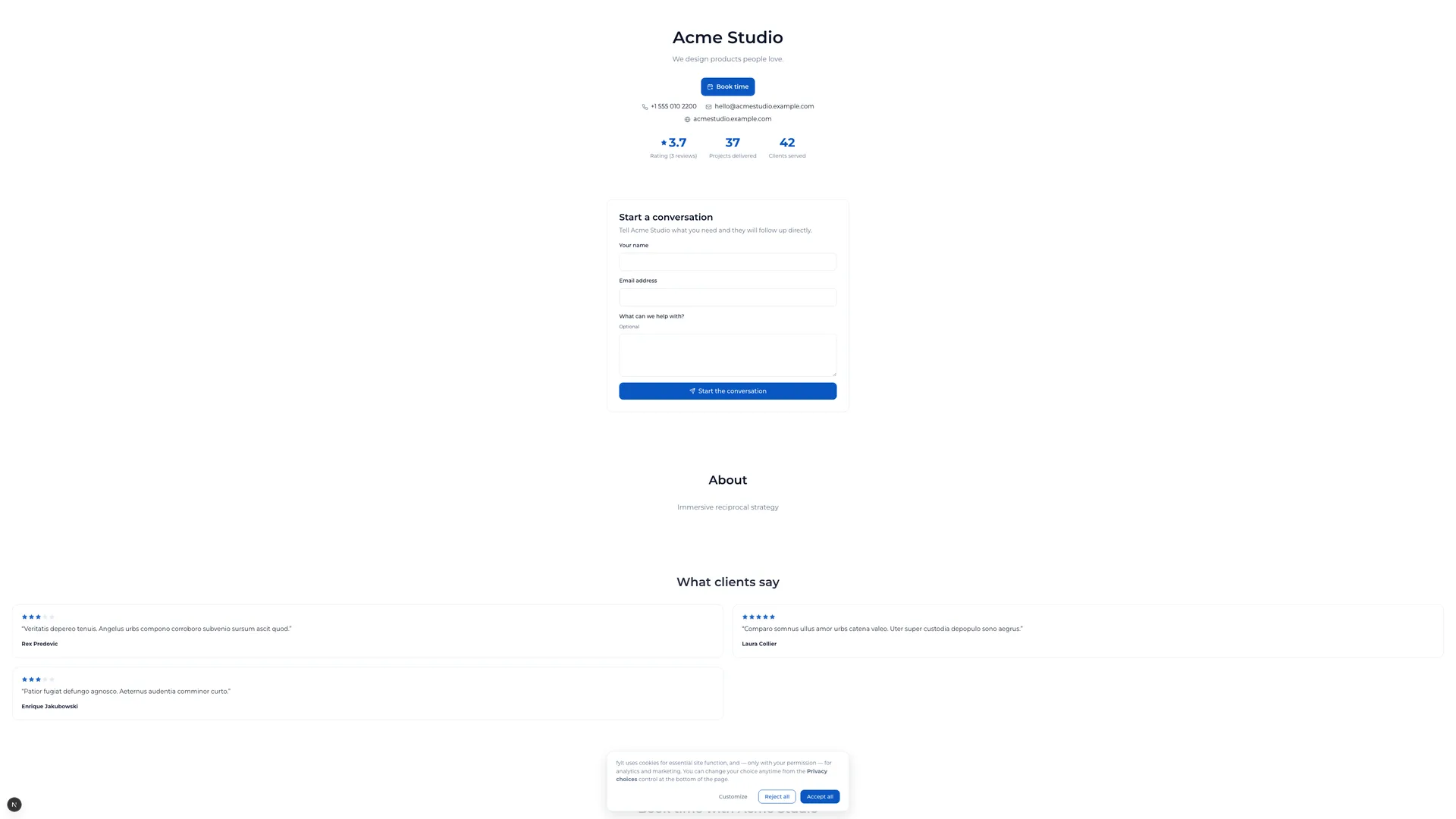
fylt Storefront gives your service business a search-friendly public page where prospective clients can understand your offer, explore your portfolio, read testimonials, and book time with you from one branded destination.
Explore the parts of fylt Storefront that support a connected client workflow from the first action to the next useful handoff.
Storefront turns the business story, services, portfolio, testimonials, and booking experience into a focused public page.
Give prospective clients a clear path from discovery to conversation.
Switch between published and draft visibility to control whether a page is search-ready and public or still in active preparation.
Launch each storefront with the confidence that fits the moment.
Storefront enquiries and Calendar bookings carry into the connected lead and calendar workflow, while approved CRM testimonials can enrich the public page.
Make every public interaction a useful starting point for the next client step.
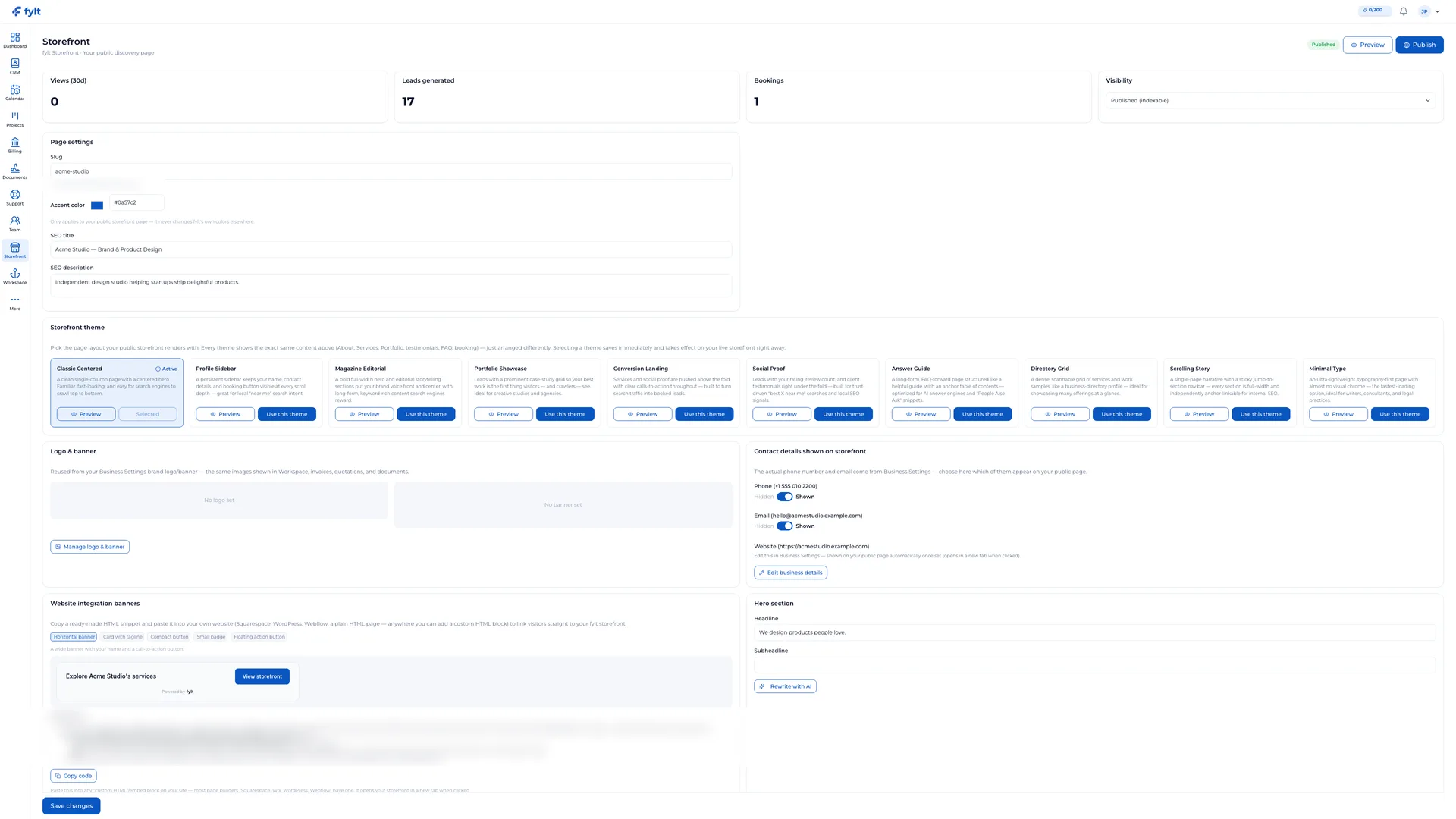
Use the business logo, banner, accent color, section order, page content, and SEO fields to make the storefront feel unmistakably yours.
Create a public presence that reflects the quality of the service behind it.
AI-assisted hero copy, business introductions, service descriptions, portfolio entries, and FAQs help create polished first drafts in the editor.
Turn your expertise into a clear public story faster.
Studio > Storefront
Storefront settings combine publishing controls, brand presentation, section design, and search-facing content in one place.
Choose Published, Unlisted, or Draft from the visibility control.
Publish when your page is ready for the public; use Unlisted or Draft to take it down (both are fully hidden) while you keep editing.
Set the public page address and choose the accent color that applies to this storefront.
Creates a recognizable, shareable presence for your business.
Write the SEO title and description that describe the service page in search and social contexts.
Helps the right prospects understand your offer before they visit.
Manage logo and banner from Business settings, then arrange the portfolio, testimonials, FAQ, and booking sections in Storefront.
Keeps the public page aligned with the rest of the client experience.
Storefront turns a public visit into useful business context: a booking creates a Calendar event and CRM lead, approved CRM testimonials can appear on the storefront, and every lead enters the same connected client workflow.
Use fylt AI to develop and refine hero copy, your business introduction, service descriptions, portfolio entries, and storefront FAQs while keeping the final message fully in your hands.
Each screen below is a full-width product capture of a distinct capability, setting, or client-facing outcome.
fylt Storefront is wired to:
Read the online booking page and storefront for service businesses overview, compare pricing, or read why an all-in-one platform beats stitching point solutions together.